
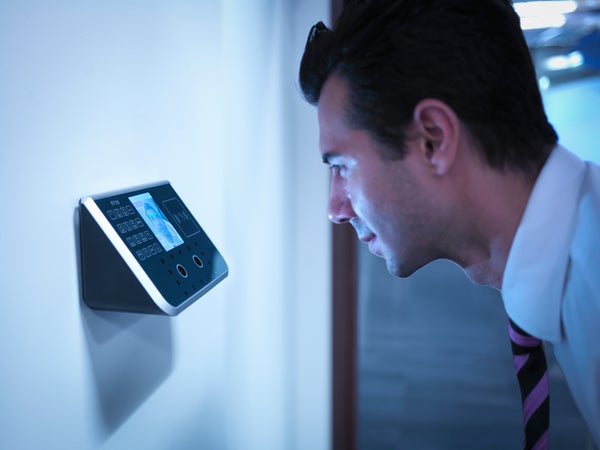
In my Scientific American column this month I suggested that we need to retire the password as our primary security tool. Passwords clearly aren’t secure enough, and heaven knows they’re inconvenient and fussy.
Iris recognition, retina scanning, fingerprints, voice recognition—all of these show promise. But there’s one security tool that’s secure, effortless and available now. It’s a special kind of face recognition that’s available on some Windows 10 computers—those equipped with an Intel RealSense camera, such as the Surface Pro 4.
RealSense is actually a sophisticated set of three sensors: one each for infrared, color and 3-D perception. Some laptops come with the RealSense camera built in or you can buy one as an external gadget that plugs into your computer’s USB jack.
On supporting science journalism
If you're enjoying this article, consider supporting our award-winning journalism by subscribing. By purchasing a subscription you are helping to ensure the future of impactful stories about the discoveries and ideas shaping our world today.
The feature is called Windows Hello. Actually, Hello can log you into your PC using fingerprint, iris orfacial recognition—but the facial thing is by far the most convenient. Once it’s set up, when you sit down in front of your computer, it recognizes your face and logs you in instantly. You can’t fool it with a photograph, a 3-D model of your head or even an identical twin. Thanks to the infrared camera, you can log yourself in even in the dark.
To set up this glorious feature, open the Start menu and choose Settings. In Settings, choose Accounts, then Sign-in Options. Then, under Windows Hello, choose the “Set up” button for Face. (If you don’t see this button, then your computer doesn’t have a fingerprint, iris or face-recognition feature.)
Now a little setup dialogue box appears. Click “Get started,” and enter your PIN. (You can’t use Windows Hello without also having both a password and a PIN; after all, you need a way to get into your machine if something goes wrong with either your RealSense camera or your face.)
Windows now asks you to look at the screen so it can memorize your face; after about one second, it says, “All set!” (If you wear glasses, choose “Improve recognition” and look into the camera again, this time without them. Now Windows Hello will recognize you either way.)
Click “Close” when you’re finished. You return to the Settings screen.
Finally, turn on “Automatically unlock the screen if we recognize your face.” (If you worry that your PC will unlock accidentally every time it spots your face, even when you’re just sitting nearby, you can also turn on “Require turning your head left and right to unlock the screen.” Now the PC won’t unlock unless you look at the camera and turn your head.)
That’s all there is to it. From now on whenever your PC is awake but logged out, the words “Looking for you…” appear at the top of the screen. When you want to unlock it and get back to work, don’t reach for the keyboard and mouse; your days of password-typing are over. Just look at the screen. It pops to life so fast it’s almost as though it wasn’t protected at all.
But it was, and you’re the only person who can get into your account just by doing nothing. (Of course, other family members can set up Windows Hello to log into their ownaccounts on this machine.)
Apple has announced that this fall you’ll be able to log into a Mac just by coming close to it while wearing an Apple Watch. Yes, sure, that’s a scheme to sell more watches—but it’s further evidence that you’re not the only one frustrated in the Age of Passwords. Fortunately, that time will soon draw to a close.