
In my Scientific American column this month I vented about the importance of software interface design. Bad design wastes our time, makes us feel incompetent, interferes with productivity—and, sometimes, really messes things up. Herewith: Five of the worst digital user-interface debacles of all time.
Windows 8
The trouble wasn't that Microsoft's designers couldn't design a good operating system interface; it's that they designed two of them. Windows 8 had one environment for keyboard/mouse and a second, overlaid interface for touch screens. Each had a separate Web browser, Control Panel, e-mail program and type of programs. You couldn't ignore either one. Twice the learning, twice the confusion—and people hated it. Microsoft ditched that approach in Windows 10.
BMW iDrive
In 2007 BMW attempted an ambitious project: It assigned nearly 700 of the car's functions to a crazily complicated knob between the two front seats—a knob that you could turn, push or bump in any of eight directions. The system was called iDrive, and it was a disaster. "Learning BMW's complicated iDrive system…is still disheartening and will surely be a daunting task to most new owners, especially those with little patience and at or near retirement age," went one typical review. It was slow, complex and infuriating to owners. In 2008 BMW overhauled the system completely.
On supporting science journalism
If you're enjoying this article, consider supporting our award-winning journalism by subscribing. By purchasing a subscription you are helping to ensure the future of impactful stories about the discoveries and ideas shaping our world today.
Most TV remote controls
Next time you're holding a remote in your hand—for your TV or a Blu-ray player, for example—ask yourself: "Could I use this thing without looking? Say, in my TV room, in the dark?"
A good remote uses placement, size, and button shape to help your thumb find its way around without your having to look. Interface-disaster remotes have rows and columns of identical buttons—with no differentiation between the ones you use all the time, like the volume and pause buttons, and the ones you rarely need.
The Apple Watch
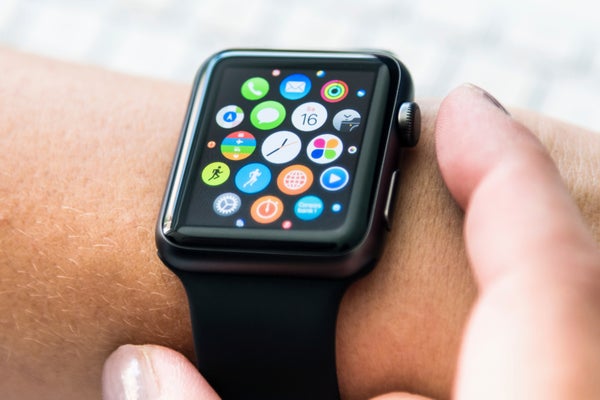
Apple hasn't released any sales figures for the Apple Watch, which probably isn't good news. Part of the reason may be that the watch is, for Apple, uncharacteristically complicated to use. There are eight different ways to interact with it: Turn or click the knob on the side, tap or hold the side button, tap the screen, hard-press the screen, swipe across the screen and pinch the screen.
Worse, the watch's interface requires learning a mental map of the tiny watch screens laid out like an inverted T. Recent notifications appear as a vertical scrolling list, but "glances" (display screens for stocks, weather, battery charge, steps taken and so on) are arranged horizontally. There's no logic to these layouts.
The USS Vincennes control system
Bad interface can cost us time, money and mood. But in the right (or wrong) situations, it can cost lives.
On July 3, 1988, the U.S. Navy's USS Vincennes mistook Iran Air Flight 655—a civilian flight—for a warplane. It fired two missiles at the airliner and killed all 290 onboard.
In the aftermath a number of factors turned out to have been at play—one of them was poor interface design.
The Navy captain based his decision to fire on the computer displays of Aegis, the Navy's combat system. It offers three huge screens showing all the planes in the air—but they don't show a flight's speed, range and altitude. An operator must summon that information manually, and it appears on a tiny 12-inch screen. Even then, it doesn't show how fast the plane is gaining or losing altitude. Had the Vincennes crew been able to see the correct trajectory of Flight 655 [pdf], they might not have fired.